A folding card with a frame on the front and a dashed window inside it, so you cut the window out and tape a print behind it. The window is 120 by 80mm with crop marks at each corner, deliberately smaller than a 6 by 4 print so the photo has an overlap to stick to.
Cut a window, tape a print behind it
The window is drawn as a dashed rectangle with four crop marks, one at each corner, set a little outside it. Cut along the dashes with a craft knife against a ruler, or fold the card and cut from the inside with scissors.
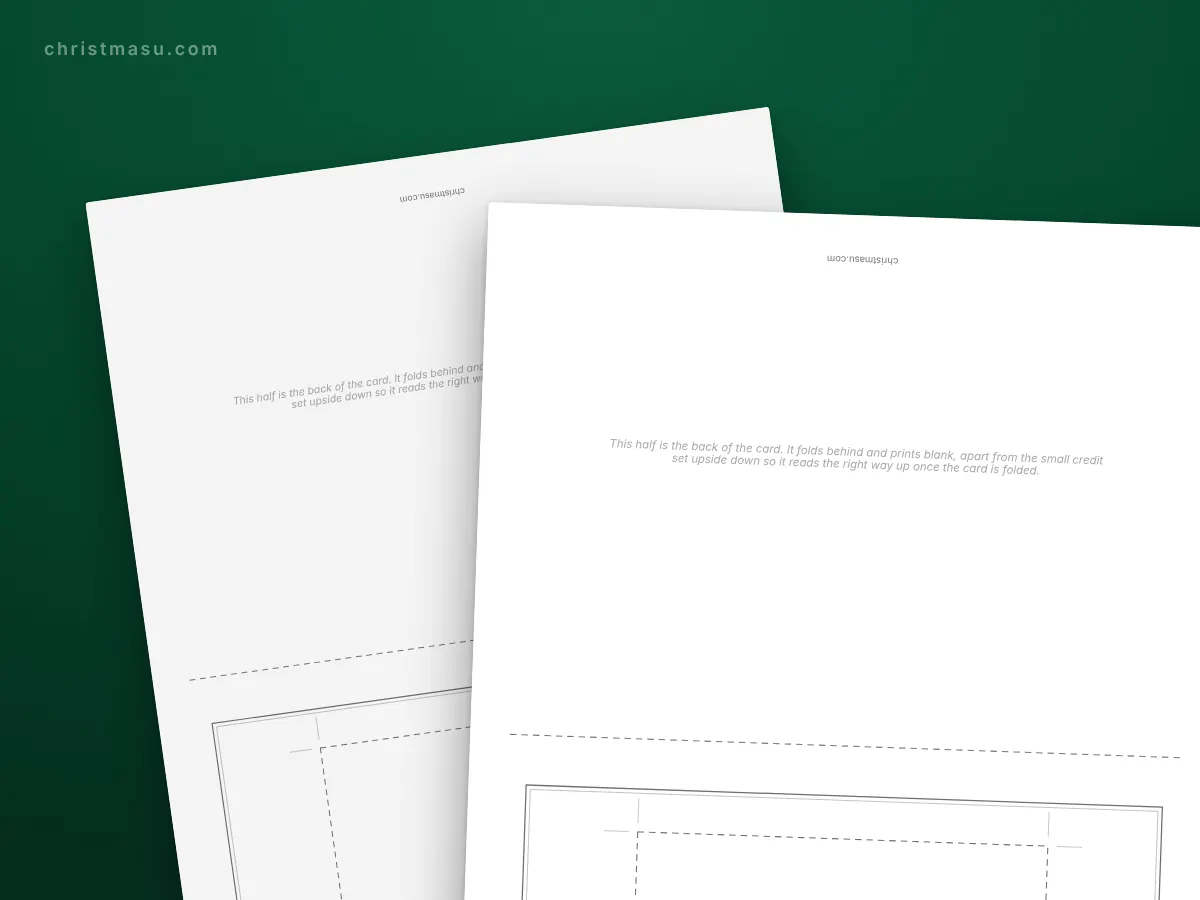
At 120 by 80mm the window is smaller than a standard 6 by 4 print, which measures about 152 by 102mm. That margin is the point: the print has 15mm of overlap all round to tape to, and no white edge shows at the front.
Six frames, not four
The front design control carries the same six borders as the rest of this section: holly, stars, snowflakes, candy stripes, scallop and trees. What changes is the frame drawn around the window, from a double rule to a dashed one to a scalloped edge, with the design's own motif below.
Under the window there is a plain rule and a small motif at the foot. The rule is for a year, a surname or a line of greeting written by hand, and it is the only thing on the front that is not printed.
Fixing the print in
Two strips of tape along the long edges. Double sided tape on all four sides looks neater but makes the card impossible to open flat for writing, which you will want to do.
The inside of the card is the blank back of the paper, because the sheet prints on one side only. The tape and the back of the photo are what you will be writing around, so leave the top edge untaped if you write with your hand resting on the page.
Why the photo is not printed into it
Printing a photograph properly needs photo paper and a printer set up for it, and a photograph printed on 160gsm card stock looks worse than a cheap high street print taped behind a frame. A card with a real print in it is the better object.
If you do want the photo printed into the card, print the card front onto photo paper and glue it to the folded card. It works, and it is more effort than most people want in December.
Questions
- What size is the photo window?
- 120 by 80mm on A4, with crop marks at each corner. That is smaller than a 6 by 4 print on purpose, so the print has about 15mm of overlap all round to tape to.
- Do I upload my photo anywhere?
- No. The card prints with an empty window and a cut line, and you tape your own print behind it, so no picture of yours goes near the printer or anywhere else.
- How do I cut the window neatly?
- A craft knife against a metal ruler on a cutting mat, or fold the card and cut from the inside with scissors. The crop marks at the corners show you where the cut starts and stops.
- How should I fix the photo in?
- Two strips of tape along the long edges. Taping all four sides looks neater but stops the card opening flat, which makes writing inside awkward.